Waybound Studio

Quick Start

Quick Start

A journey through the whole suite, step by step – from an idea in Travel Guide to the memory in Happy Trails. The first steps take a few minutes; the rest travels with you on the real trip.

What you need before you start

  • Nothing. The free tier runs on open services and needs no Google key.
  • No account either – you can choose “Continue locally” and keep everything in the browser.
  • A vehicle in mind. Diesel, petrol, EV or motorhome changes the stops the app suggests.

14 steps

Your first journey

01

Discover the trip in Travel Guide

Don't have a trip in mind yet? Just say which way the feeling points – country, number of days, budget, daily driving limit and the themes you're longing for – and Travel Guide proposes one journey at a time, with candidate stops and a short reason it fits. Like it, skip it, or add it straight to Route Planner when a proposal feels right.
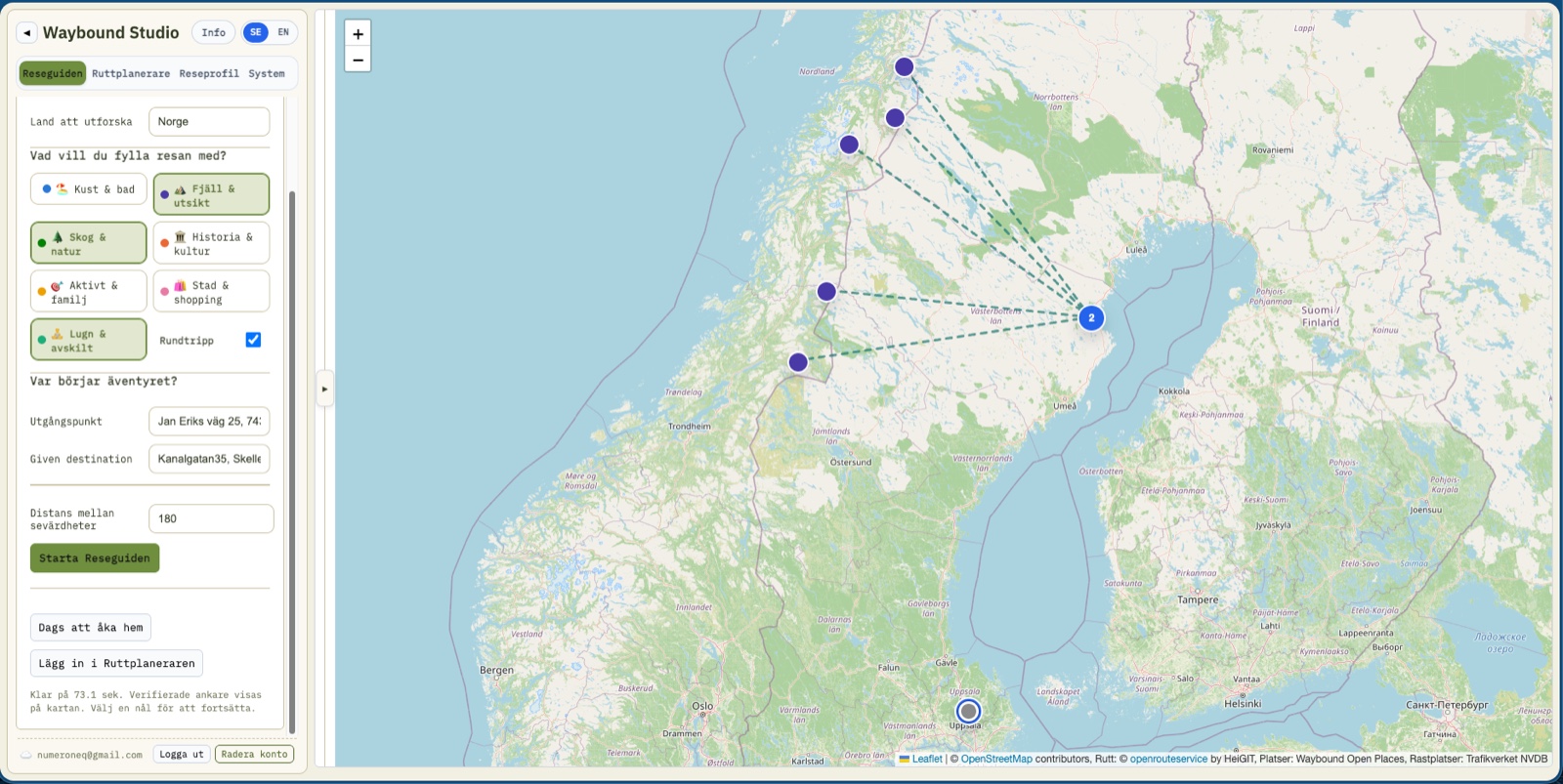
Travel Guide's proposed journeys, fanned out on the map
02

Configure your vehicle information

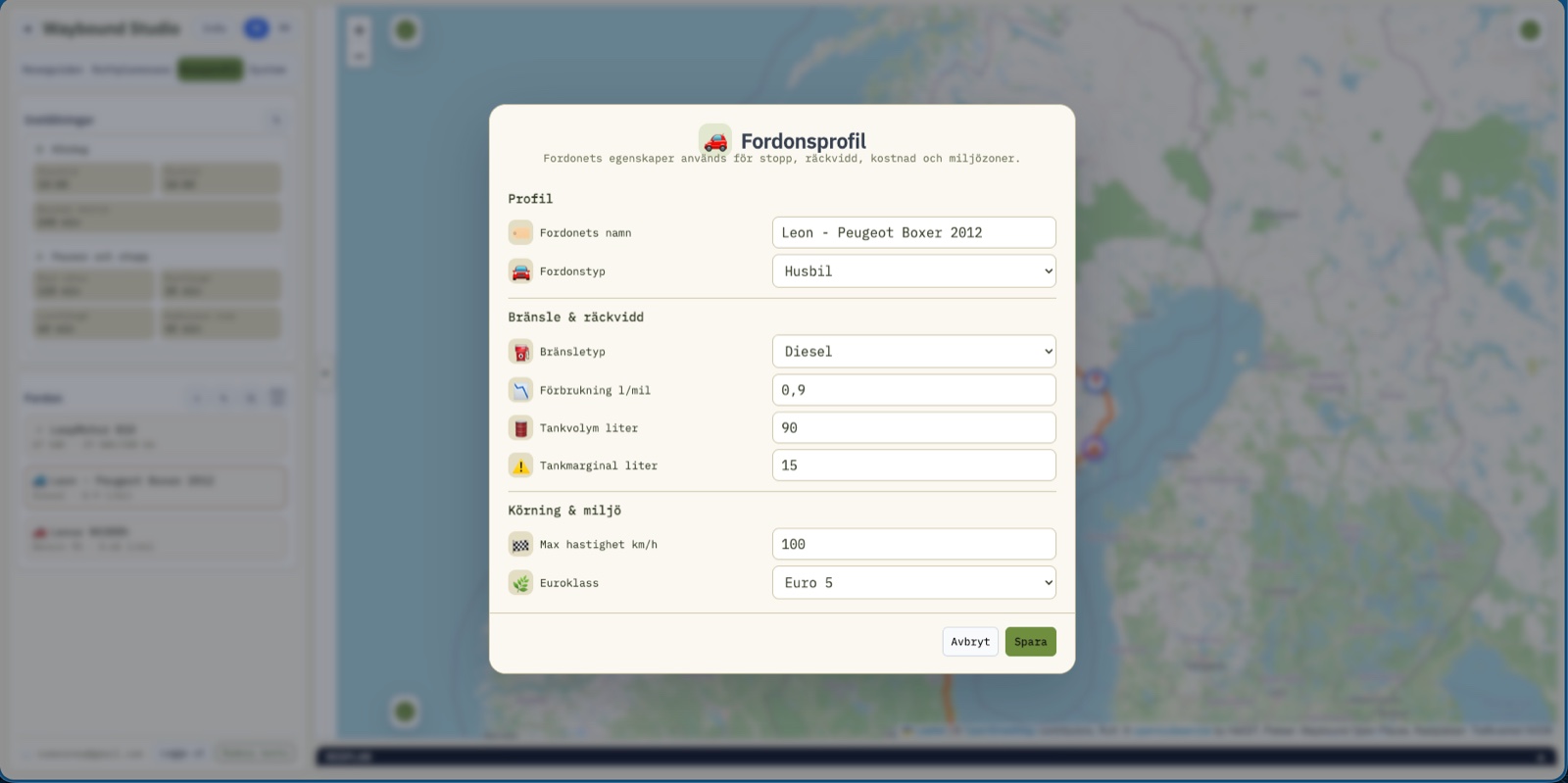
Under Travel profile you choose a vehicle – diesel, petrol, EV or motorhome – and save its characteristics: range, consumption, tank volume or battery and charging target. The vehicle decides which stops get suggested and how far you actually get in a day.

Vehicle profile for diesel/motorhome with consumption and fuel margin
03

Set your personal break preferences

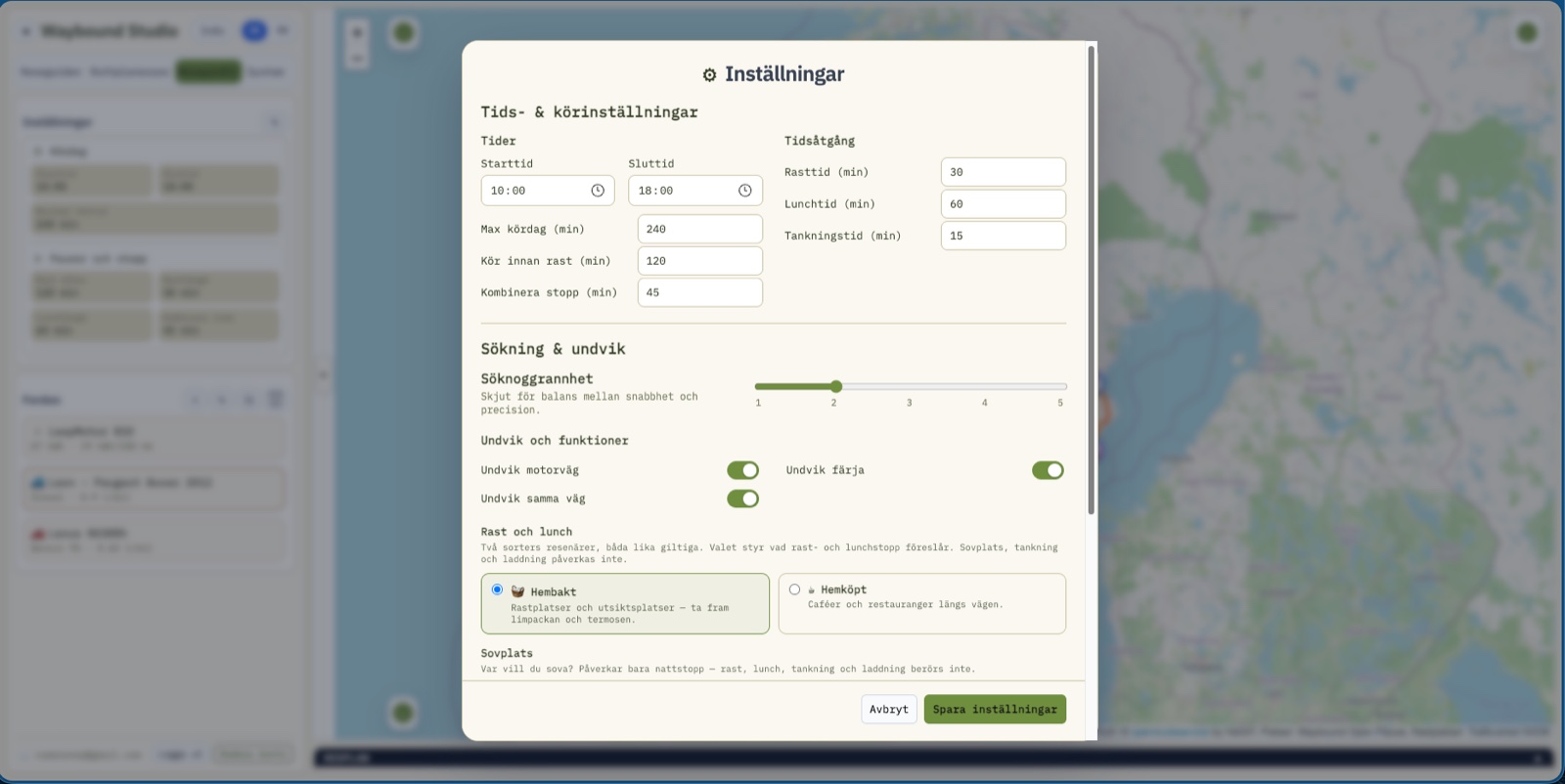
The rules define what makes a good travel day for you: when the app suggests a break, lunch, fuel and an overnight stop, how ferries and motorways are handled, and how precise the search for stops should be. Not too long, not too stressful – adapted to how you actually want to travel.

The settings dialog with times and avoidances
04

Plan the details in Route Planner

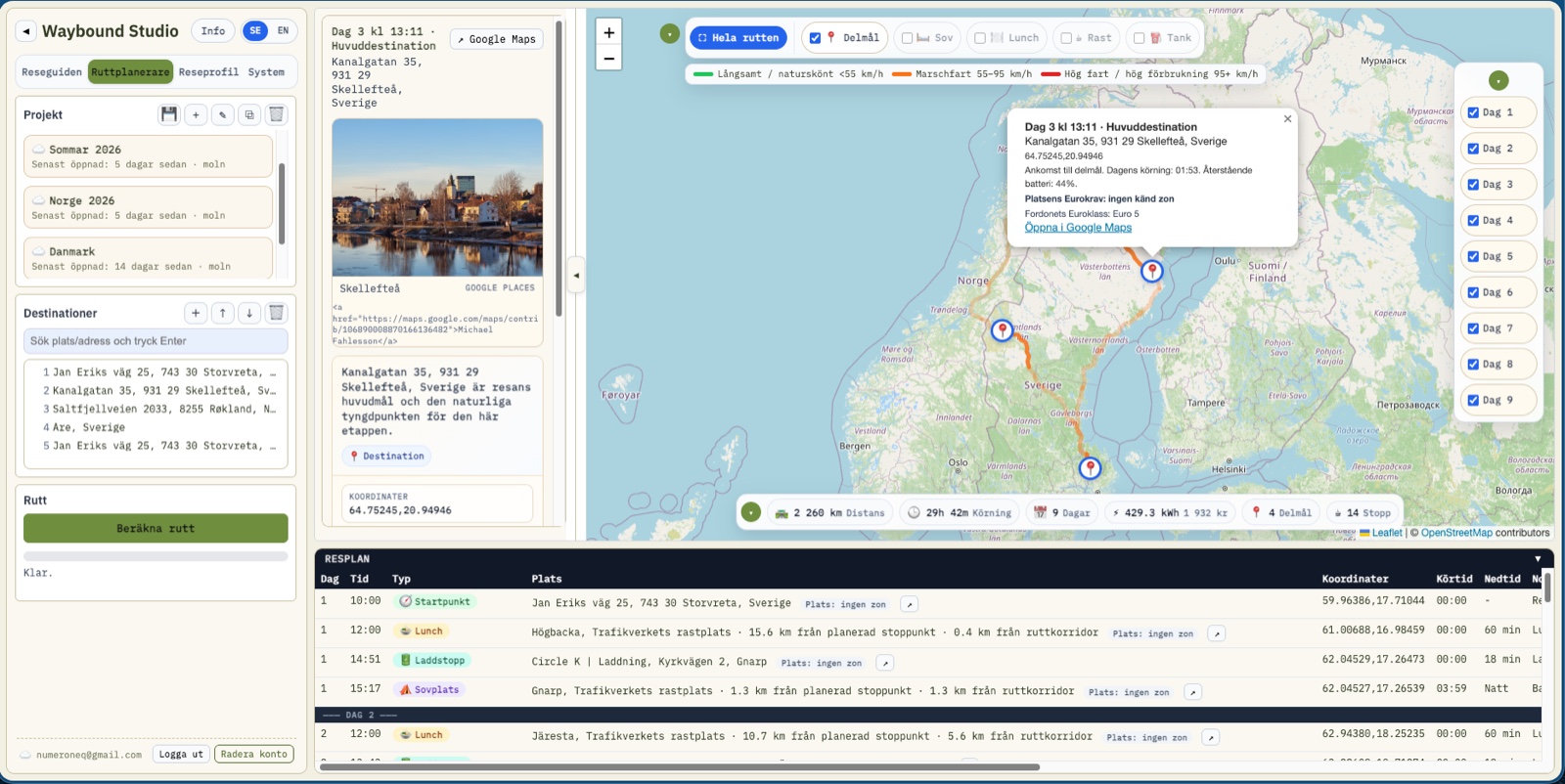
Everything meets here: daily stages, map layers, weather, stops and itinerary on the same screen. Add the destinations in the order you actually intend to drive, calculate the route, and collapse the panels when you just want to see the map. Click a stop to see why it was chosen – driving time, facilities on site, emission zone and a short rationale.

Route Planner with daily stages, map and stop detail
05

Make the trip with On The Road

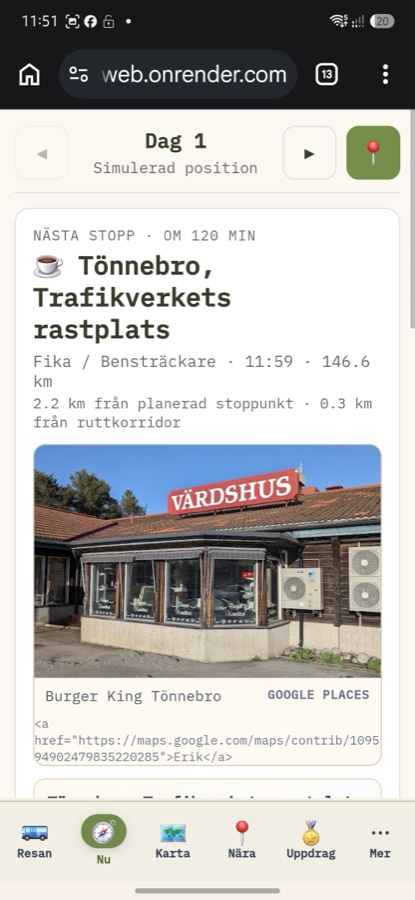
Once you're moving, the app changes shape into six simple mobile surfaces: Trip, Now, Map, Nearby, Quests and More. The Now view shows the next stop and the rest of the day, worked out straight from the route's own geometry – no new server calls, no waiting.

On The Road's Now view with the next stop
06

Navigate in the car with Android Auto

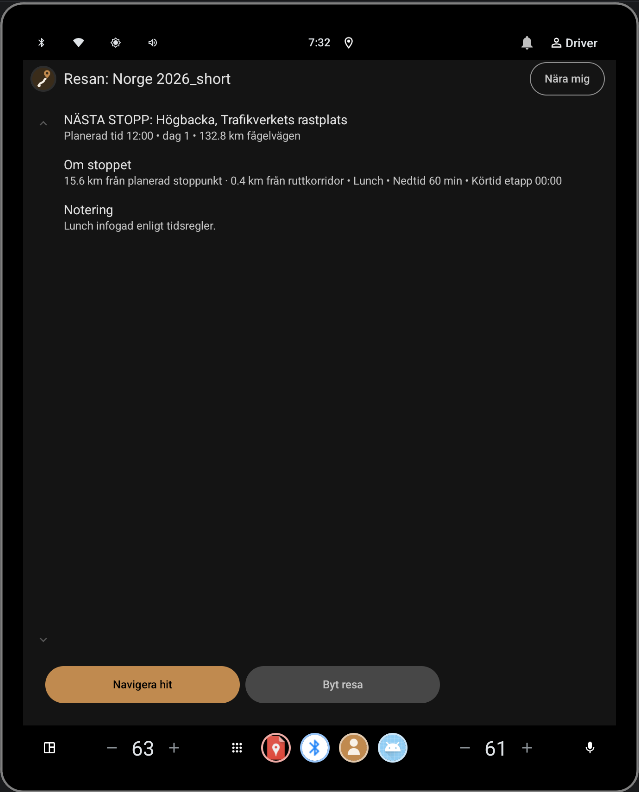
The same companion, on the car's own screen, for anyone driving with Android Auto. Reads the trip that's already planned – never plans a route of its own, never draws its own map. The next stop and distance, one glance away without picking up the phone.

Android Auto: next stop and distance on the car screen
07

Have fun in the car during the trip with Car Bingo

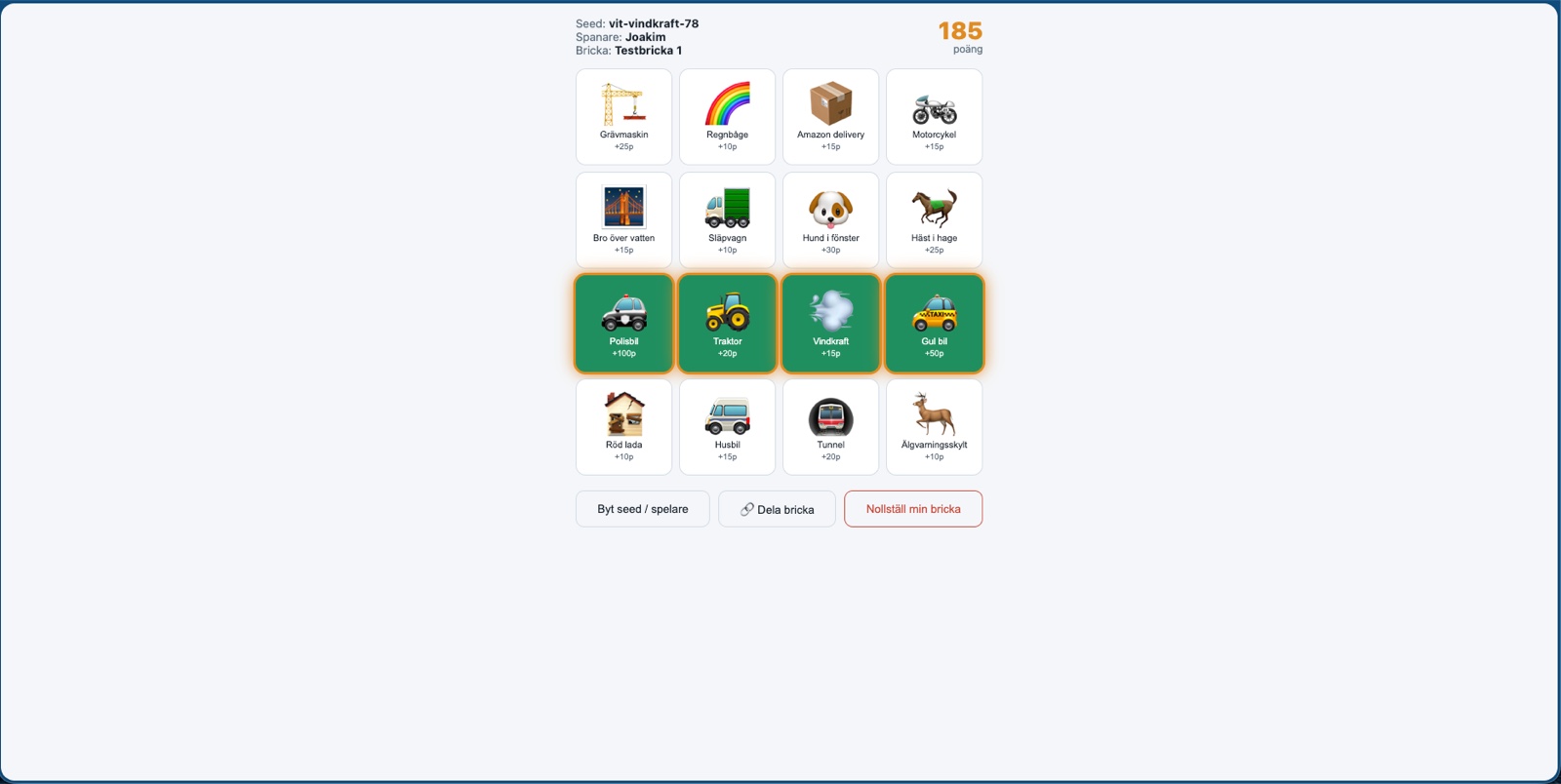
Car Bingo gives the back seat a spotting bingo to look out the window for – 16 tiles from a shared board, one of over a hundred across seven categories. Four in a row is a small win, fully offline and with no need for the phones to sync with each other.

Car Bingo's board mid-game, with a marked row
08

Have fun while you wait during the trip with Explorer

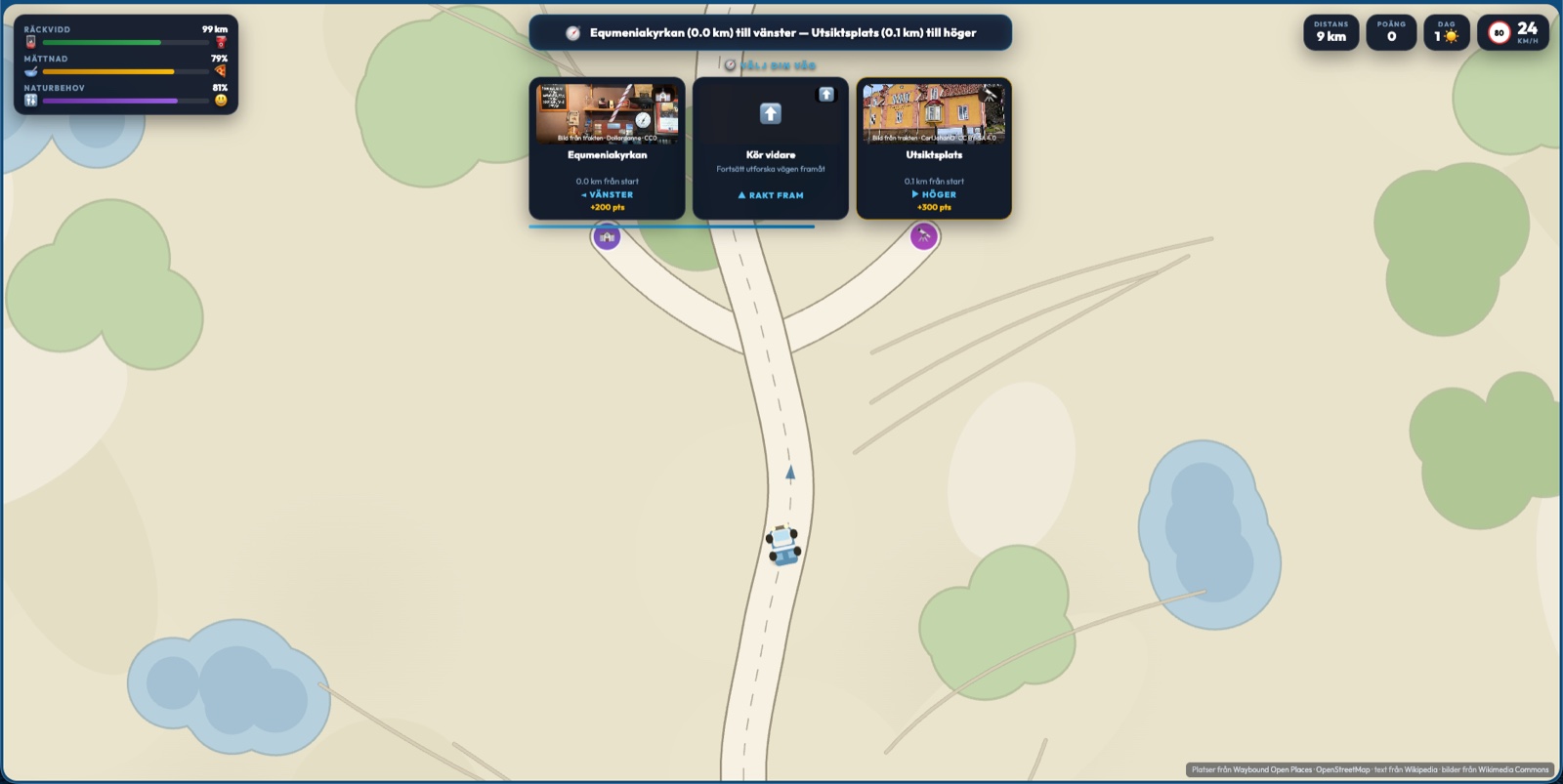
While you queue for the bathroom, the next discovery is waiting: drive along a road, pick a turn, and get a real nearby place with a photo and description – pulled from Wikimedia Commons and Wikipedia, never invented.

Explorer's junction with three choice cards
09

Discover your surroundings with Open Places

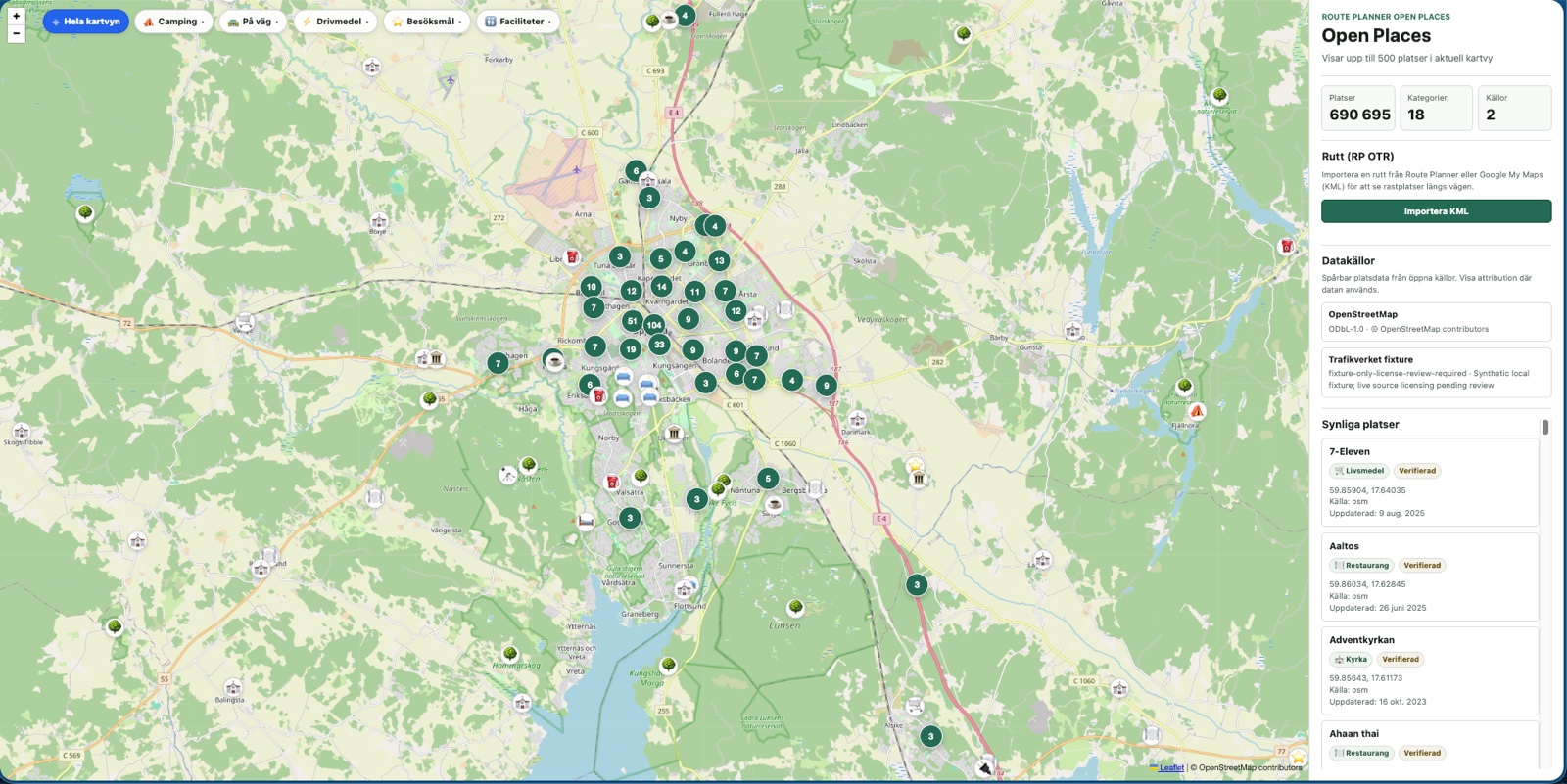
690,000+ open places – rest areas, motorhome stops, campsites, viewpoints, toilets and more – with an origin you can actually trace. The same catalogue that drives stop search in both Route Planner and Explorer, but here you can explore it directly on its own map.

The Open Places map with sidebar stats and place list
10

Complete challenges during the trip in Quests

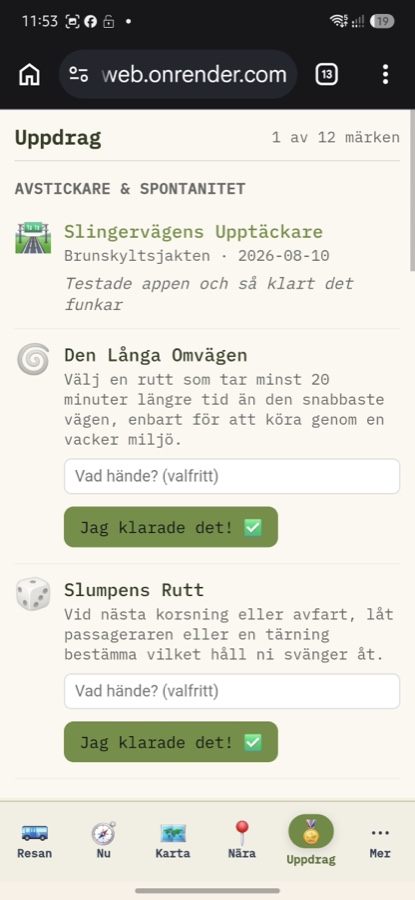
A sixth tab in the On The Road app with quests tied to the trip rather than the app – a detour, a swim, a local café. Check that you did it, no photo and no geofencing required. Honor is the entire mechanism.

The Quests tab, one badge earned out of twelve
11

Remember the trip with Happy Trails

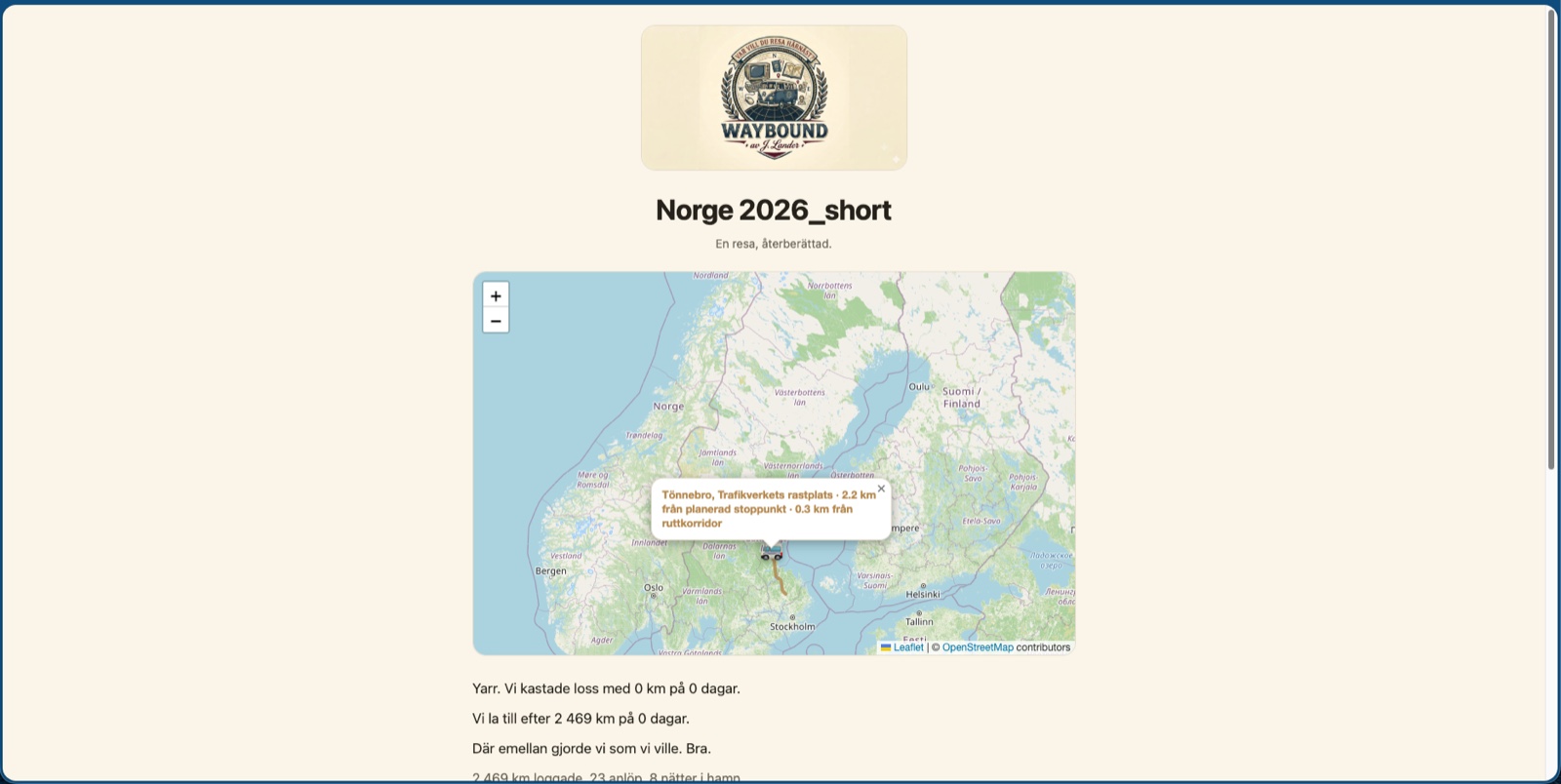
Once the trip is over, the plan becomes a story, played back with a car driving the route across the map in a voice you choose – the Logbook, the Pirate or the Bureaucrat. No text or photos of your own required, just the choices you actually made during the trip, shared with a single link.

Happy Trails, a playback with a speech bubble
12

Export the trip to your favourite tools

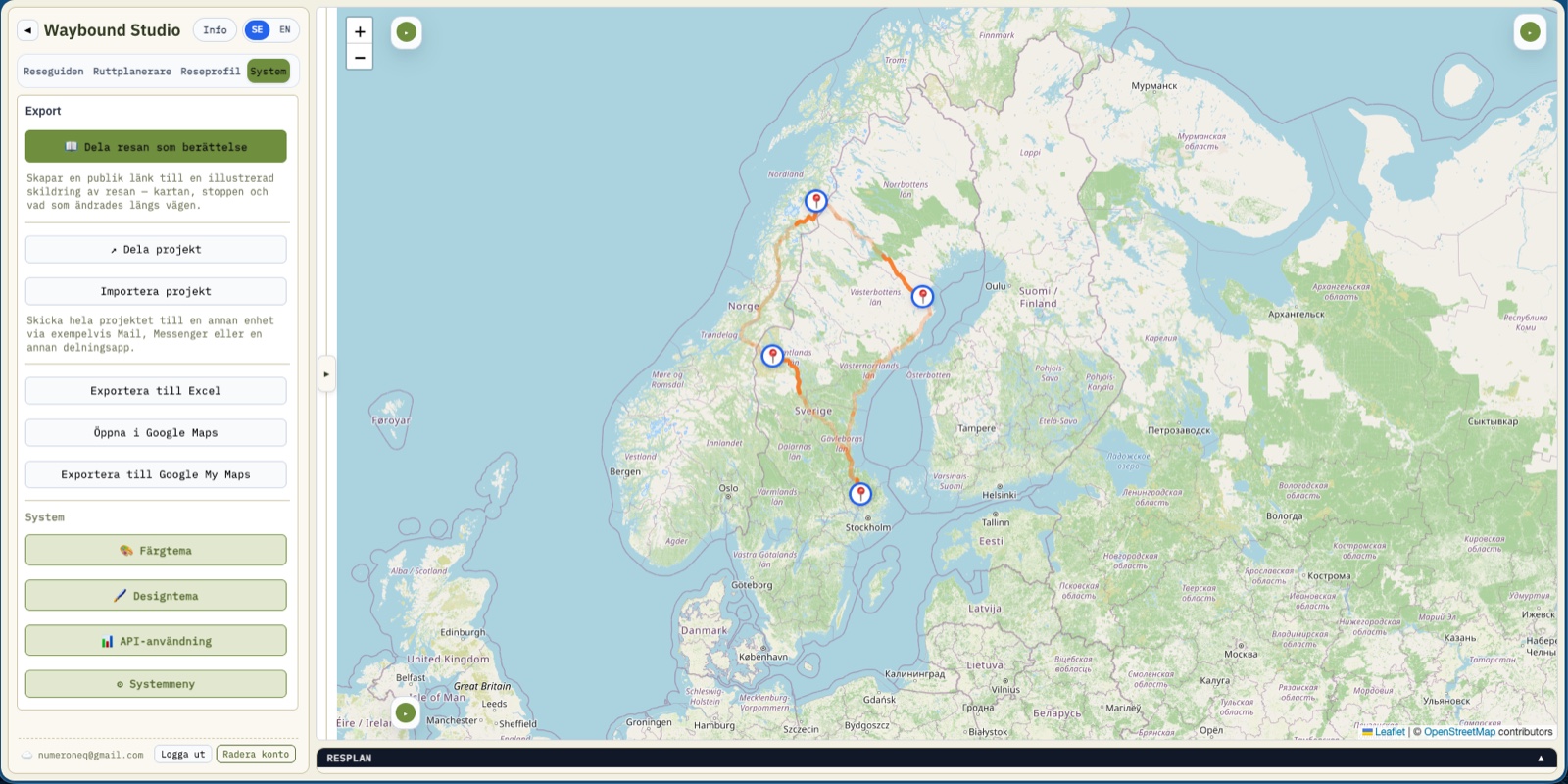
Happy with the plan, before or after the trip? The Export card in the System tab takes it on to Google Maps, My Maps, Excel, or a project file you can send to someone else – the same trip, in whatever format you actually need it.

The Export card with Google Maps, My Maps, Excel and project file
13

Set your personal design theme on the tool

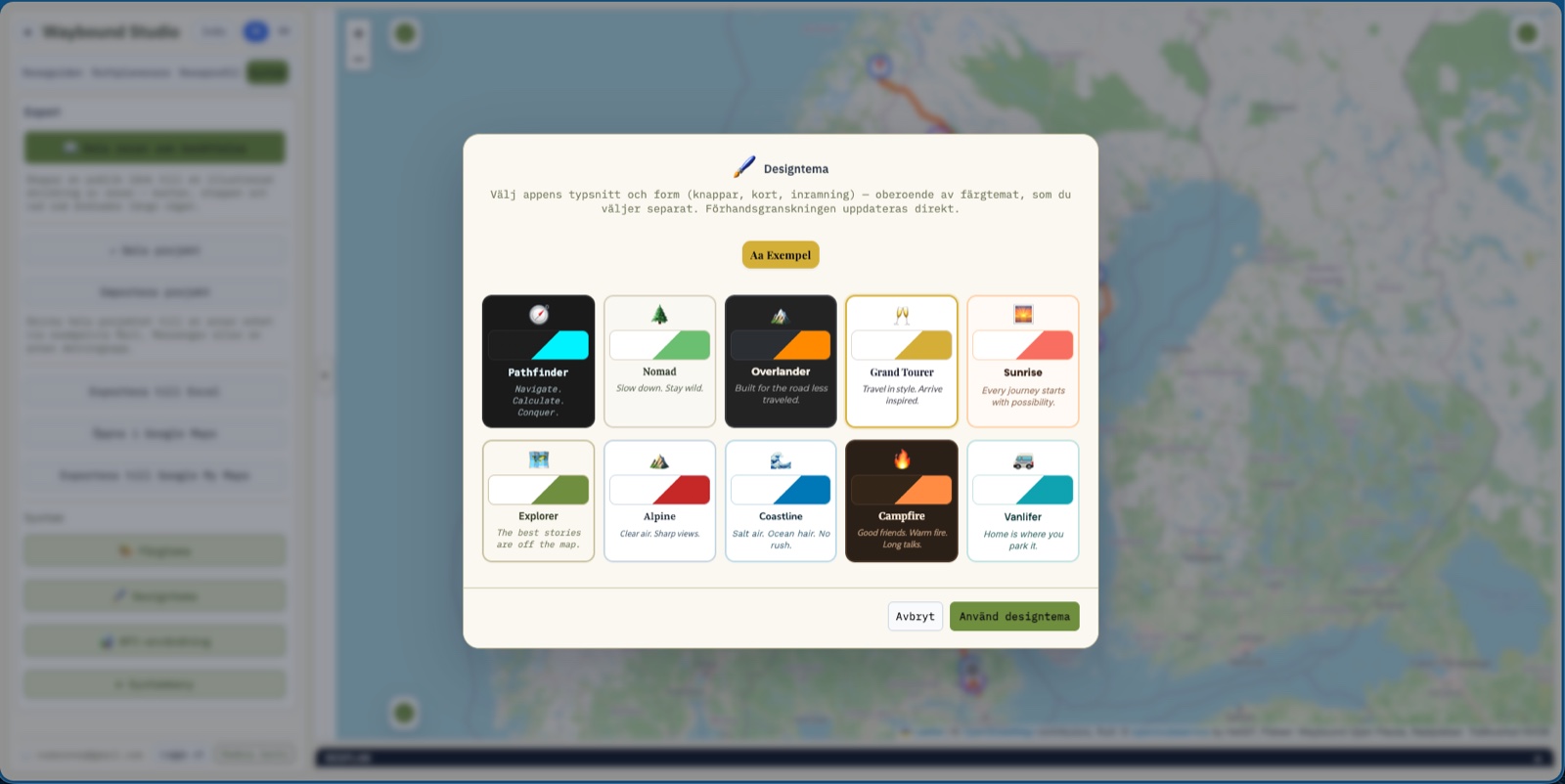
The shape is as much yours as the colour: ten design themes – from Travel Guide's classic look to a warmer, rounder feel – combined freely with ten colour themes. The choice follows your account into every part of the suite, this guide included.

The design theme picker, with ten profiles to choose from
14

Learn more about the suite with the Guide

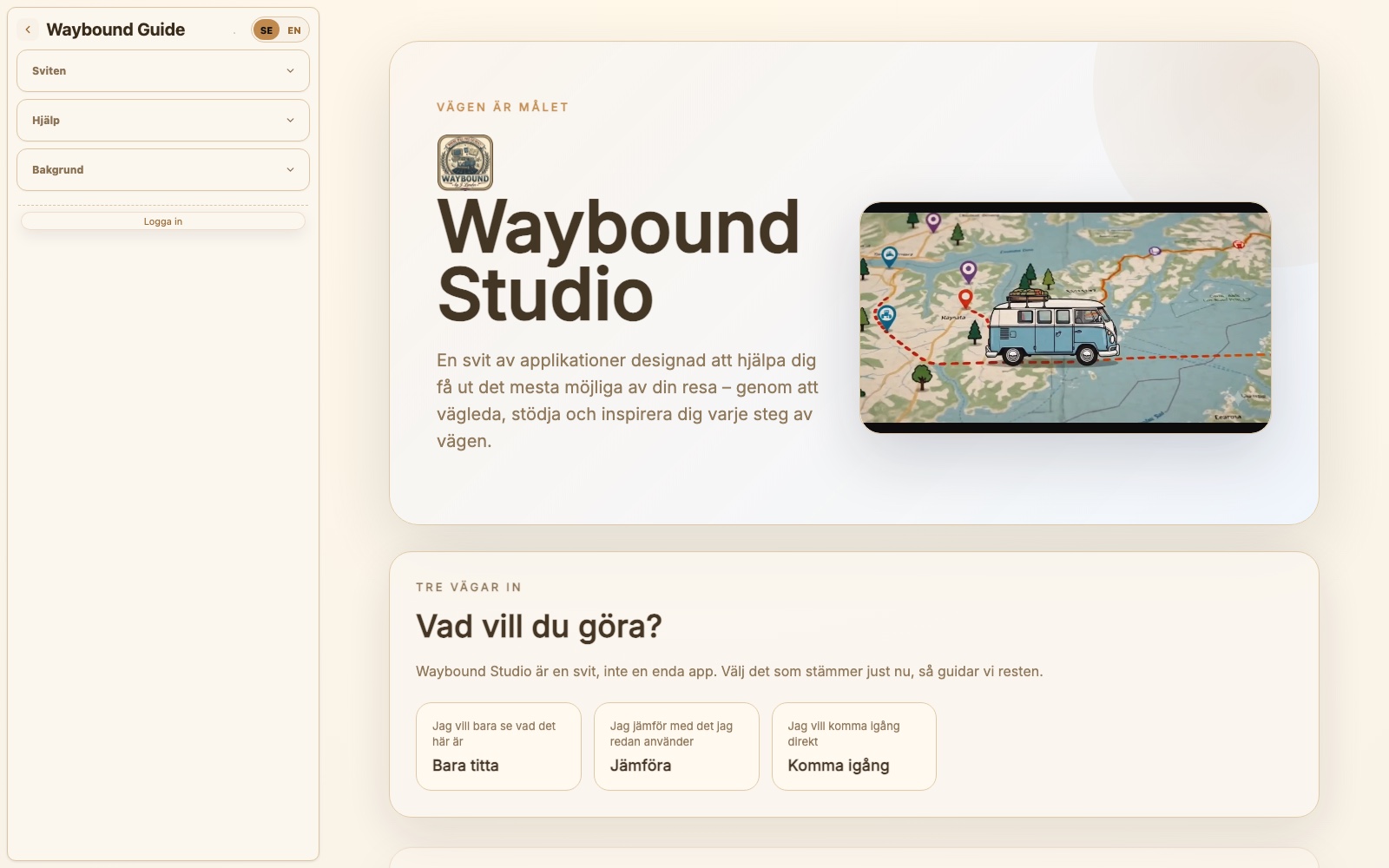
You're already reading it. Waybound Guide gathers features, troubleshooting and background for the whole suite in one place – search for what you're wondering about, or keep browsing the menu on the left, any time during the trip.

Waybound Guide, the homepage

Done when you have

  • a saved project and a calculated route
  • company through the whole trip – in the car, at the stops and on the way home
  • a Happy Trails story to share once you're home

Now it's your turn

You know what's coming. Open the app and walk the 14 steps with your own trip.

Open Waybound Studio on mobile

Already heading out?

Scan the code to open Waybound Studio on your phone. Once you're moving the app changes shape into On The Road – six simple views with no planning tools in the way.

Open Waybound Studio on mobile

Once the first trip is done

Two directions from here, depending on what you're wondering about.

Features in detail

A reference for what the app can do, feature by feature.

Want Google's data? (optional)

The free tier covers the whole flow above. If you later want Google's map and place data, or want to use Travel Guide, you add your own key. We don't lead anyone here – the guide exists for those who want it.