01 / 15
Choose planning mode
Start manually or let Route Guide suggest a journey.
Choose manual planning if you already know where to go, or let Route Guide create a first proposal from your constraints.
Product Tour
A suite of applications designed to help you get the most out of your journey – by guiding, supporting and inspiring you every step of the way.
Interactive Tour
Click through the whole journey, module by module, before opening the app.
01 / 15
Start manually or let Route Guide suggest a journey.
Choose manual planning if you already know where to go, or let Route Guide create a first proposal from your constraints.
02 / 15
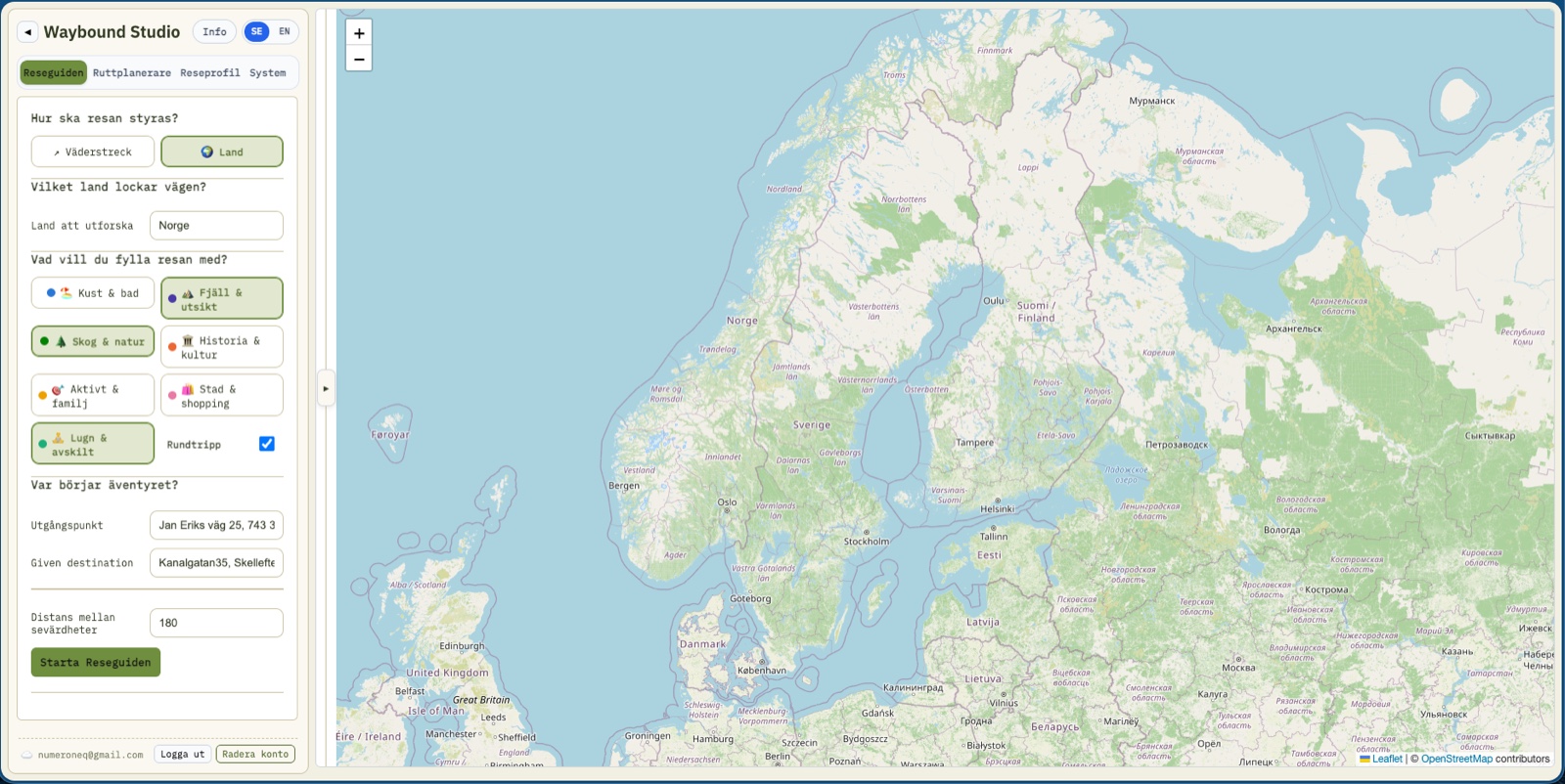
Set country, days, budget, driving limits and travel themes.
Route Guide uses your choices as a compass: direction, country, travel length, budget, daily driving limit and interests.
03 / 15
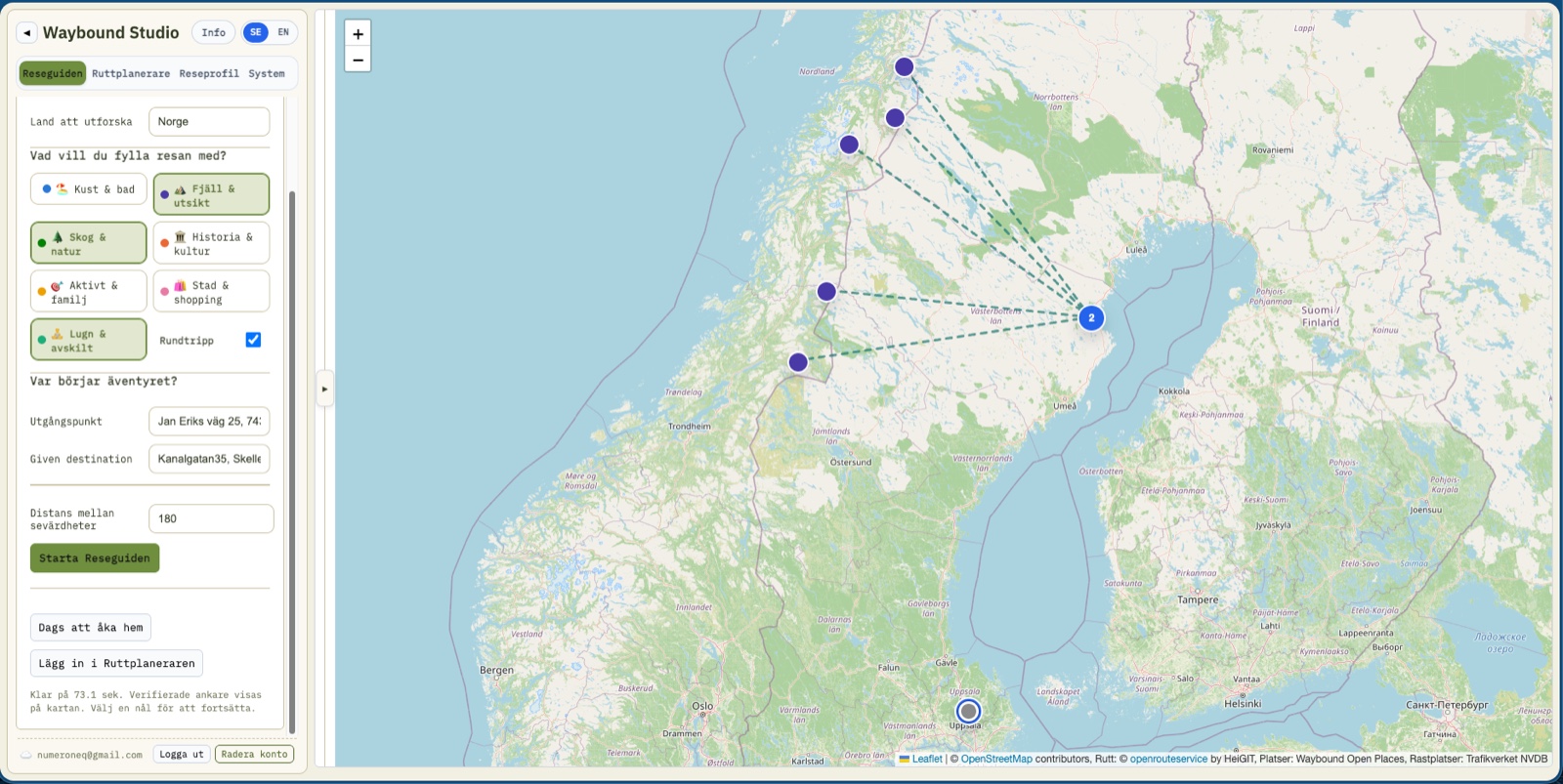
Compare suggestions and add the preferred option to the route.
The proposals show candidate destinations, themes, estimated driving and why the concept matches your choices.
04 / 15
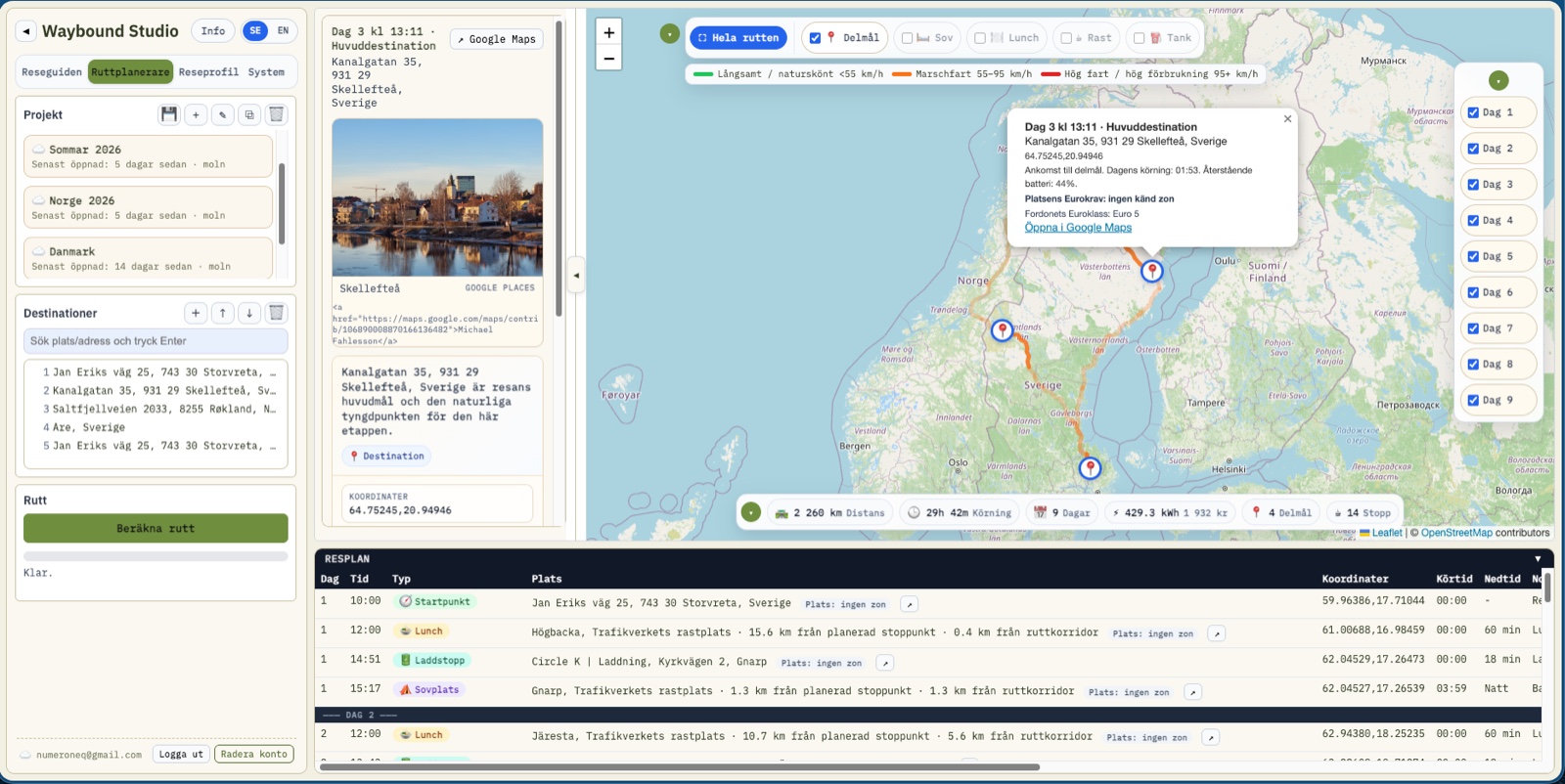
View daily stages, map layers, weather, stops and itinerary together.
Once a proposal is added, work continues in the main planner where destinations, stops, days and map layers can be adjusted.
05 / 15
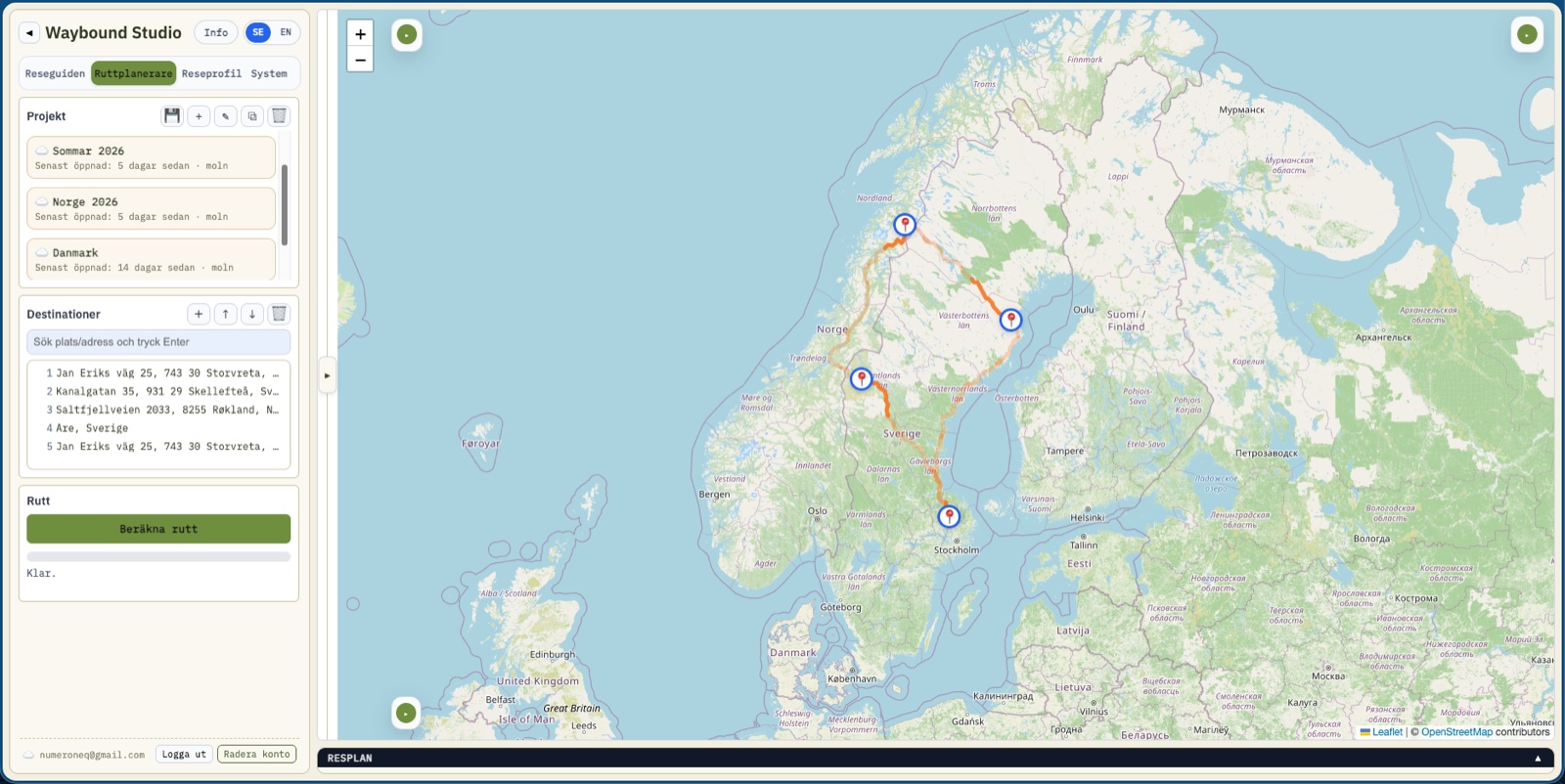
Collapse panels to work with a larger map.
Major panels can be collapsed so the map becomes the center when you need to understand the full route.
06 / 15
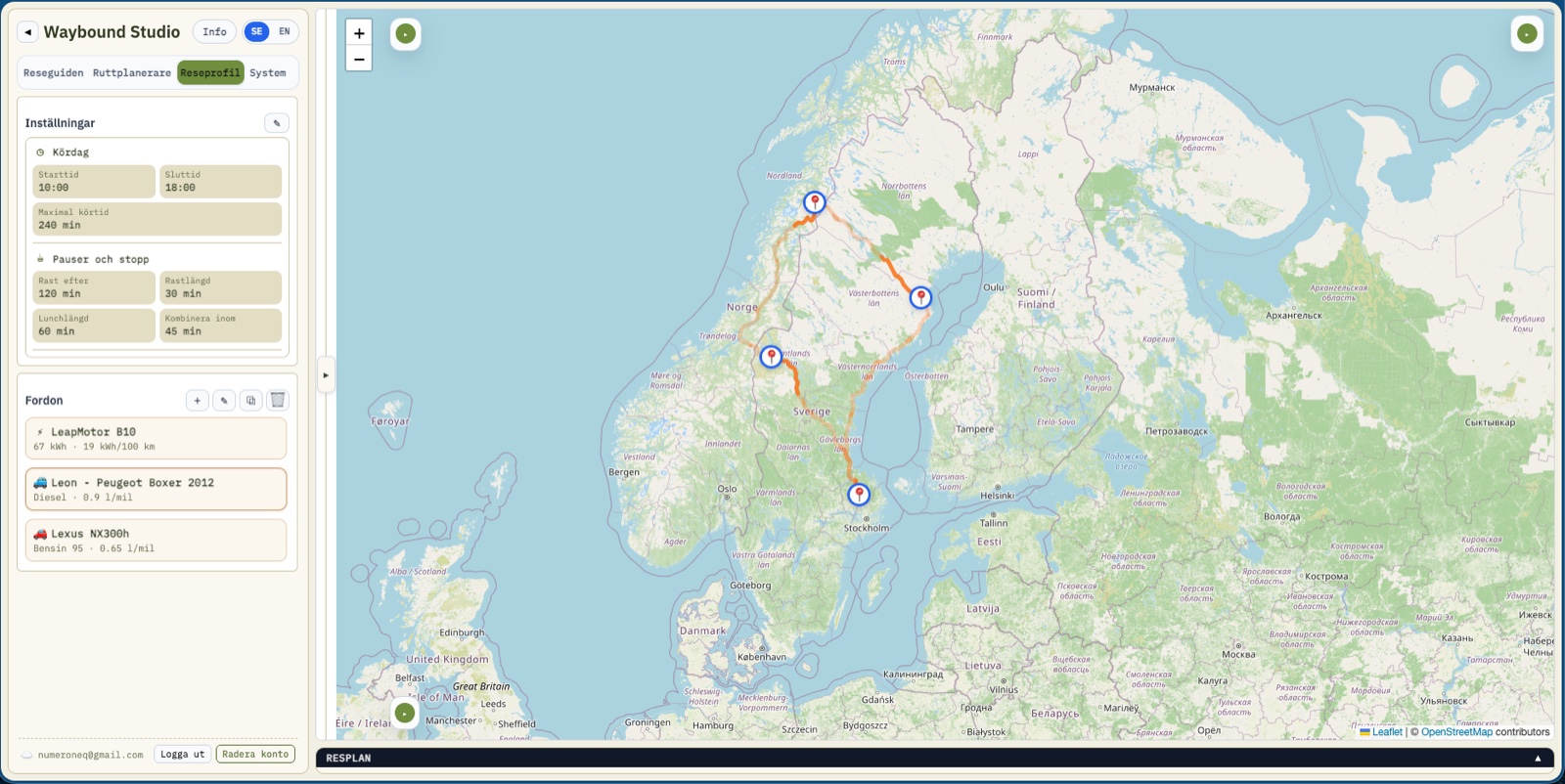
Switch vehicle and let rules affect planning.
Vehicle range, consumption, fuel type, charging and travel rules affect stops and estimates.
07 / 15
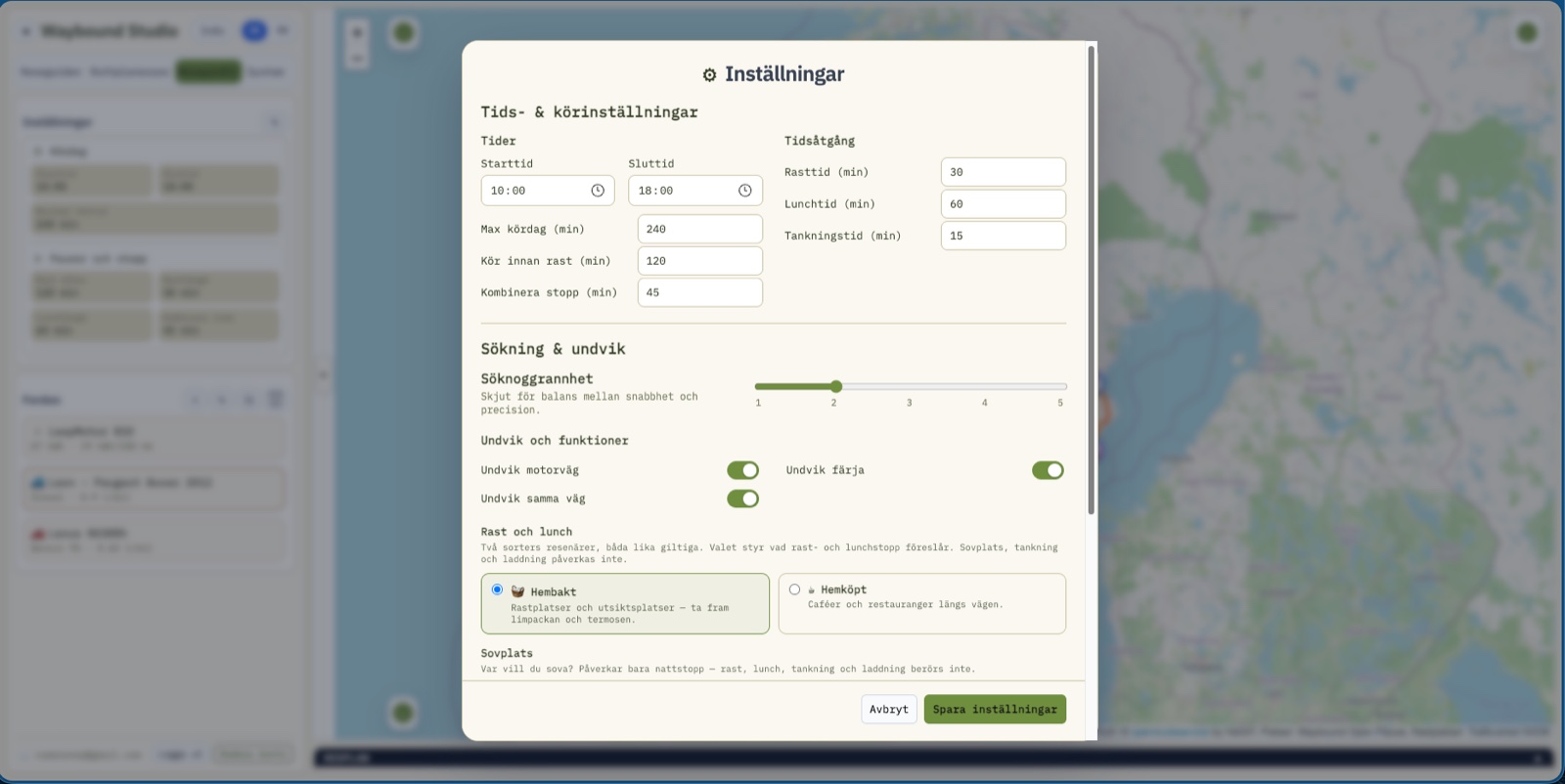
Control times, rests, lunch, ferries, motorways and search precision.
Rules define what makes a good travel day: not too long, not too stressful and adapted to how you want to travel.
08 / 15
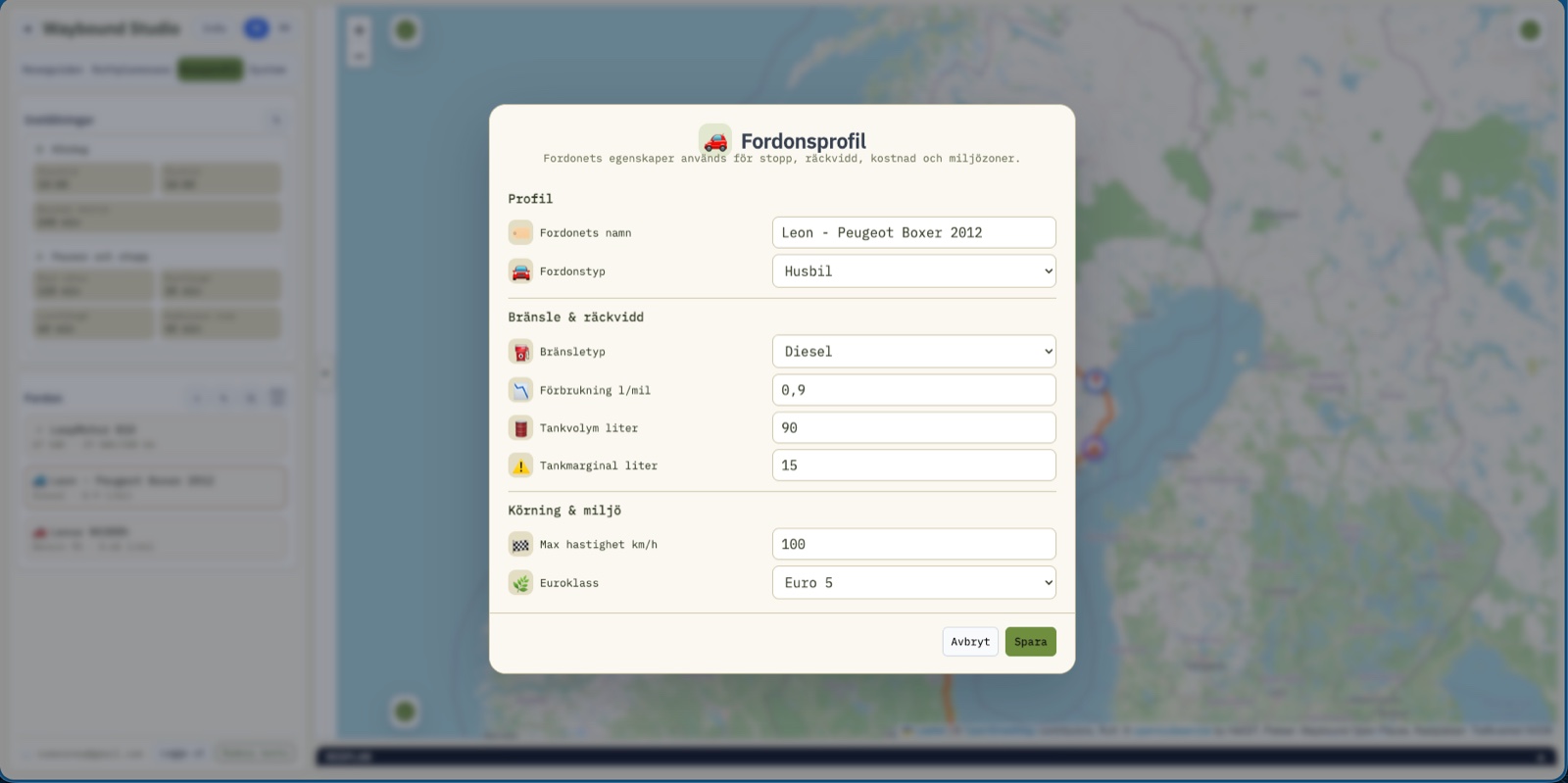
Save characteristics for campervan or combustion car.
For combustion vehicles you can set consumption, tank volume, fuel margin, max speed and emission class.
09 / 15
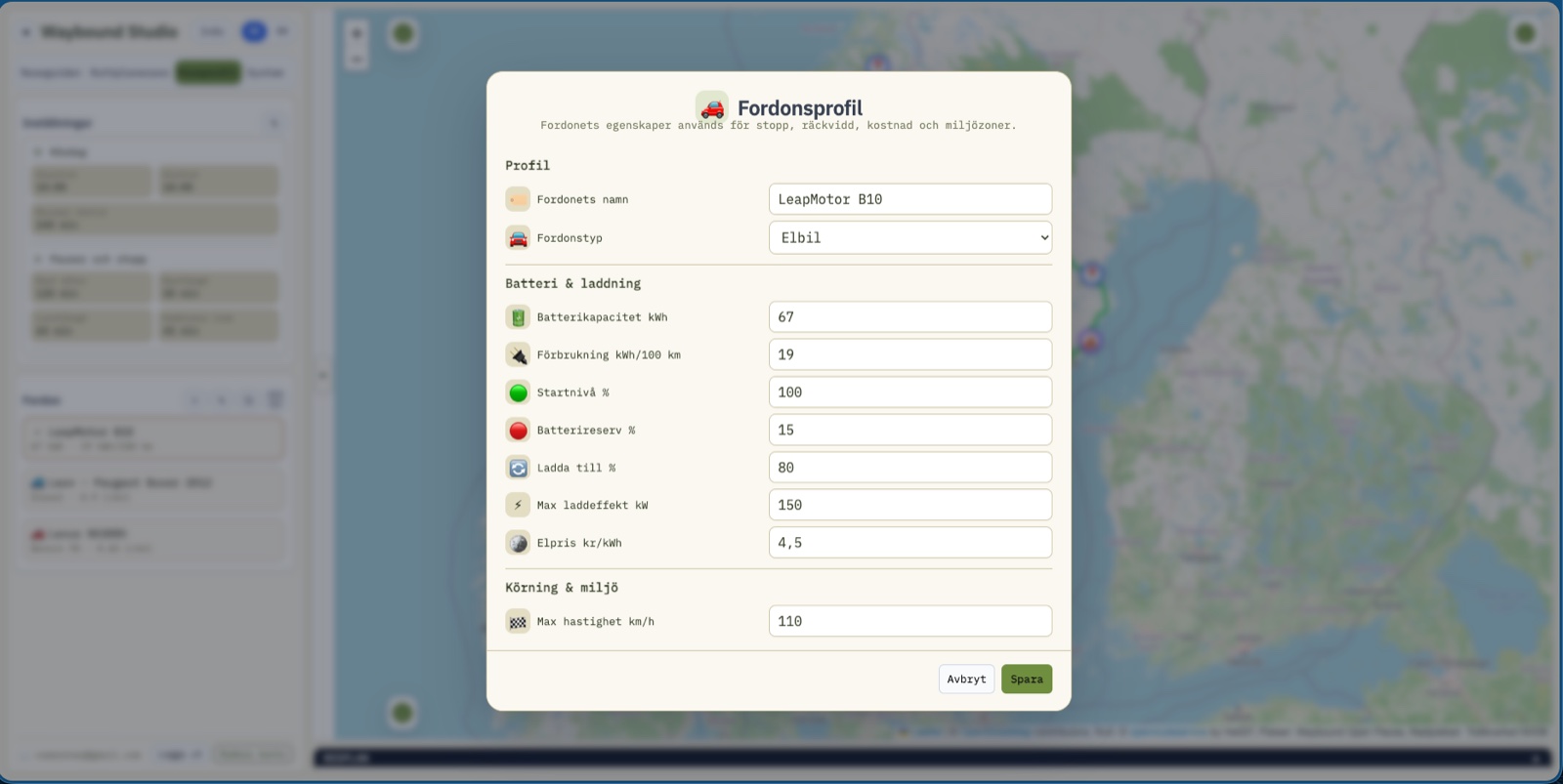
Set battery, consumption, charging target, charging speed and electricity price.
For EVs, range and charging are planned from battery capacity, reserve, target charge and cost.
10 / 15
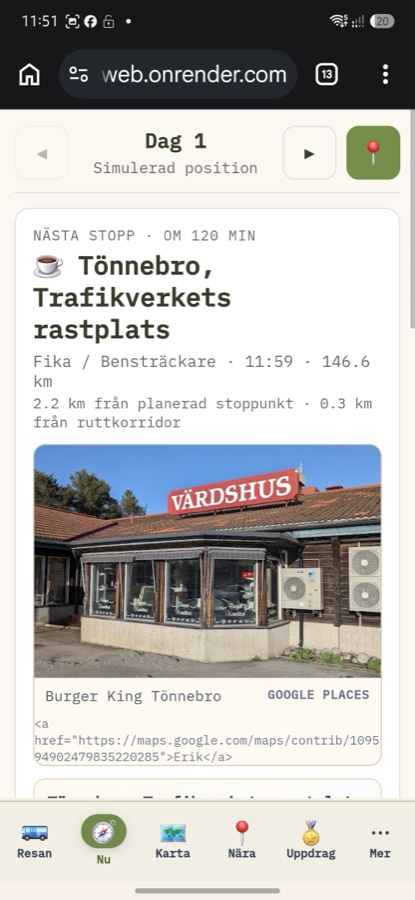
The app changes shape into six simple mobile surfaces: Trip, Now, Map, Nearby, Quests, More.
The Now view shows the next stop and the rest of the day, worked out from the route's own geometry with no extra server calls.
11 / 15
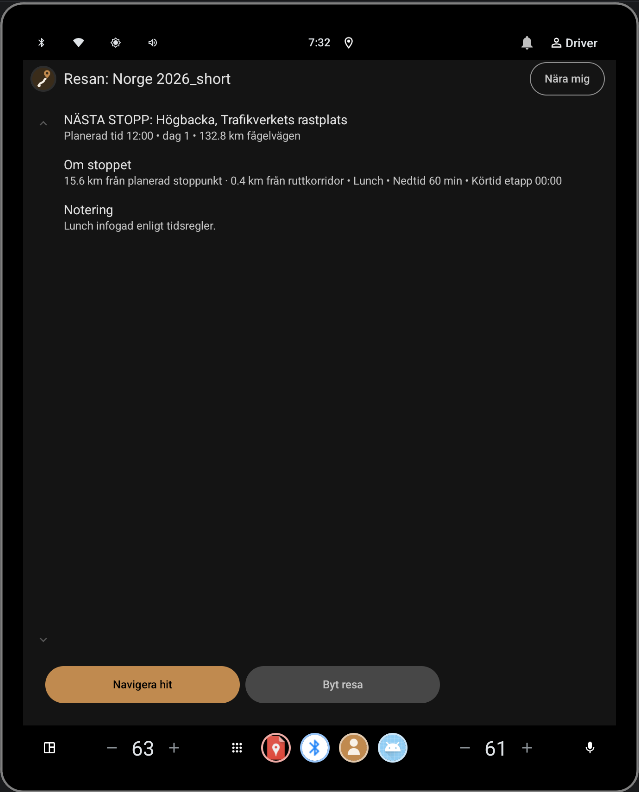
The same companion, on the car's own screen, for anyone driving with Android Auto.
Reads the trip that's already planned. Never plans a route, never draws its own map.
12 / 15
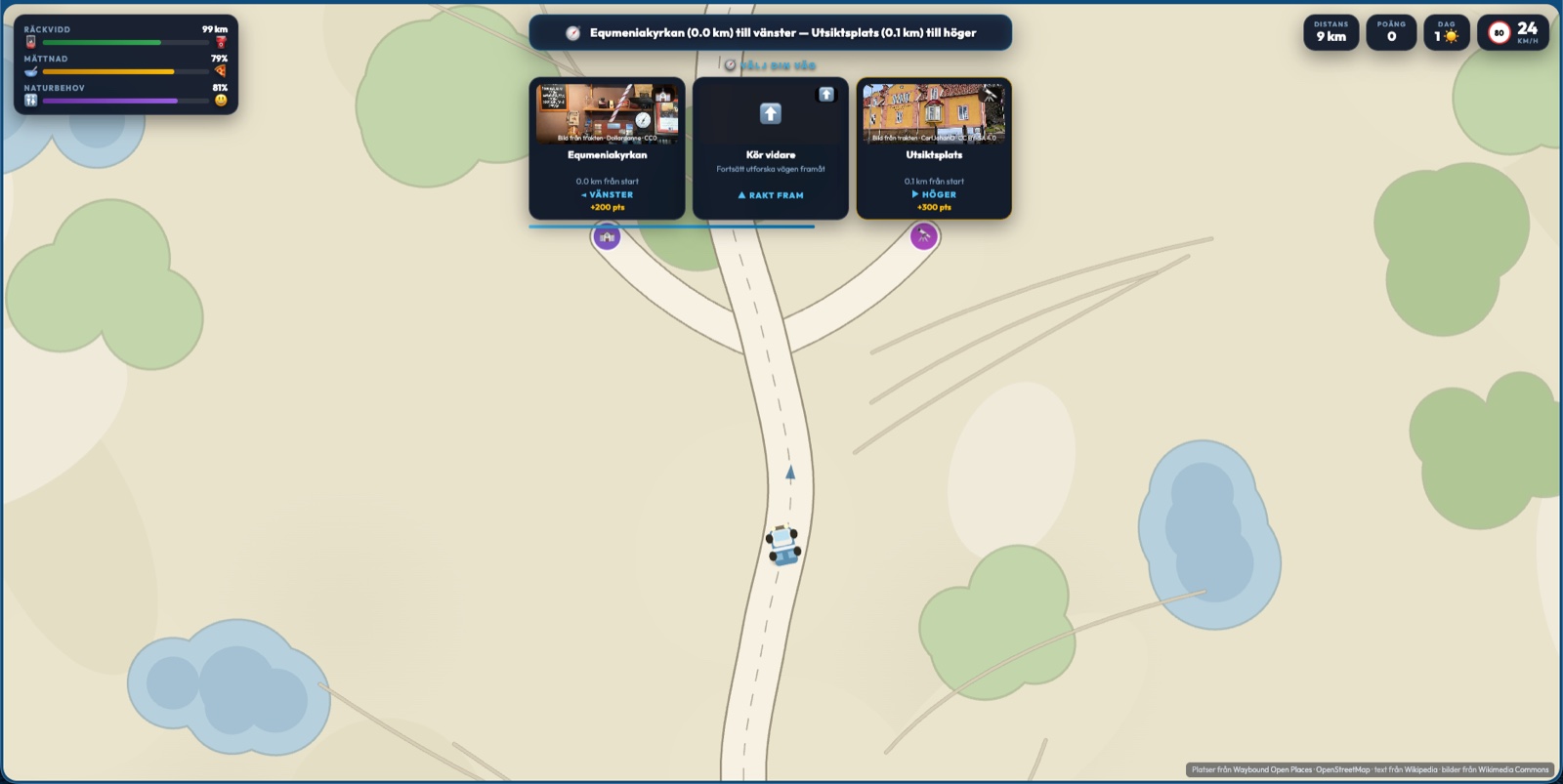
While you queue for the bathroom, the next discovery is waiting in Explorer.
Drive along a road, pick a turn, and get a real nearby place with a photo and description.
13 / 15
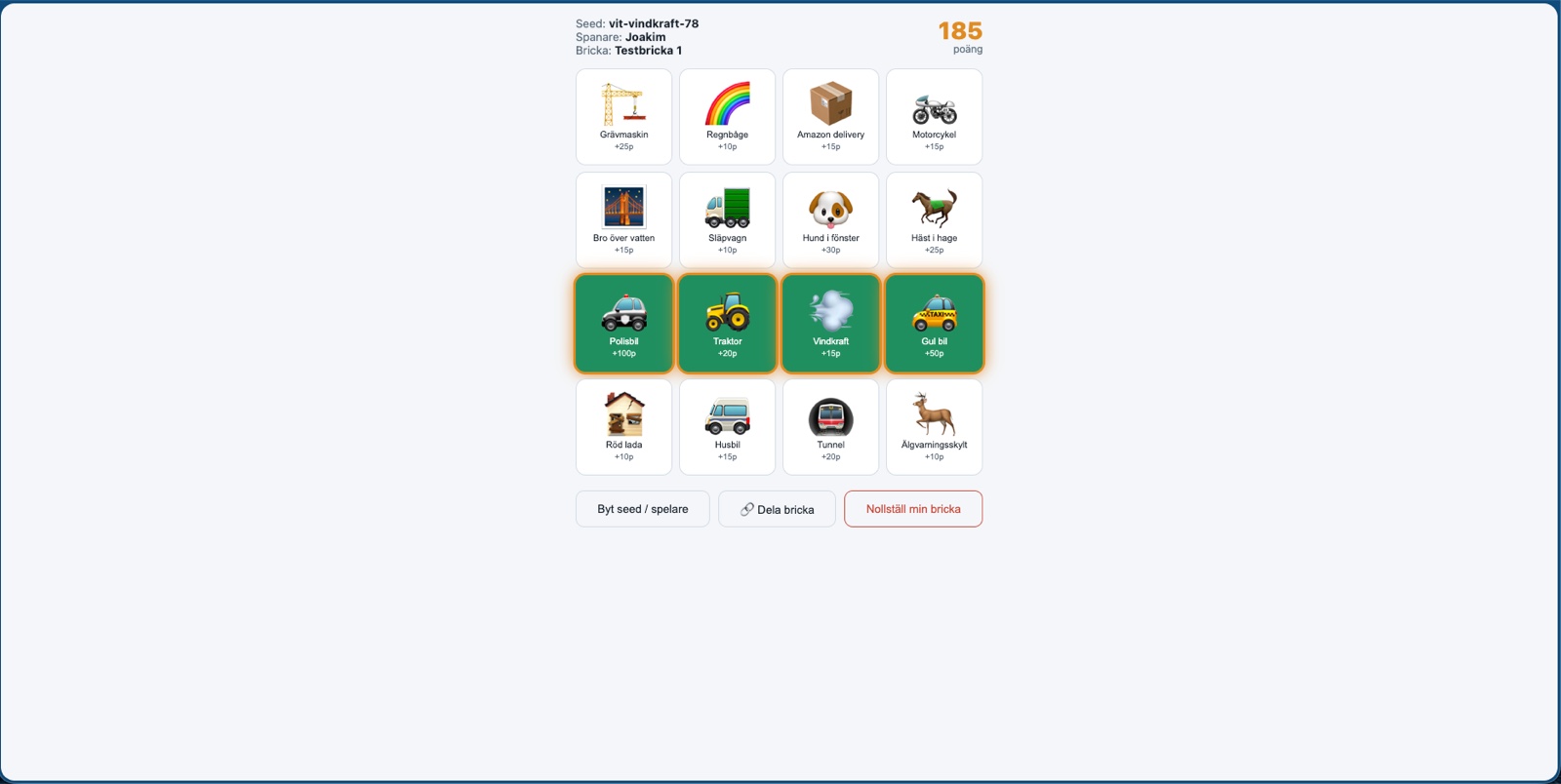
Car Bingo gives passengers a spotting bingo to look out the window for.
16 tiles from a shared board, fully offline, no device-to-device sync needed.
14 / 15
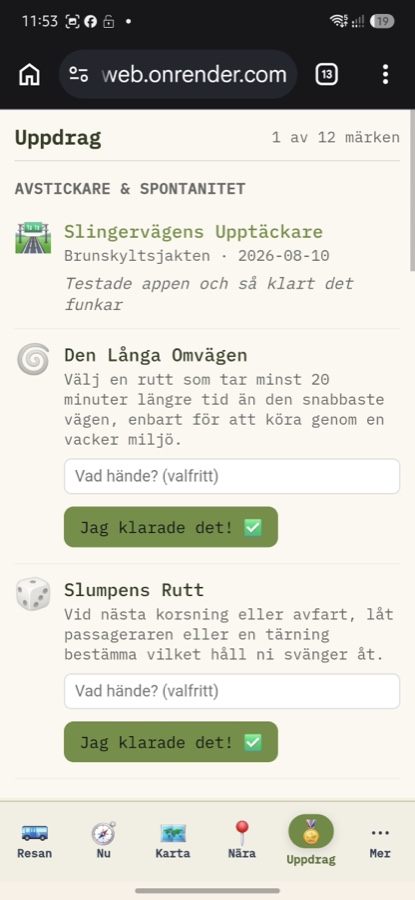
Quests rewards what you did anyway with honor badges.
No geofencing, no photo — honor is the entire mechanism.
15 / 15
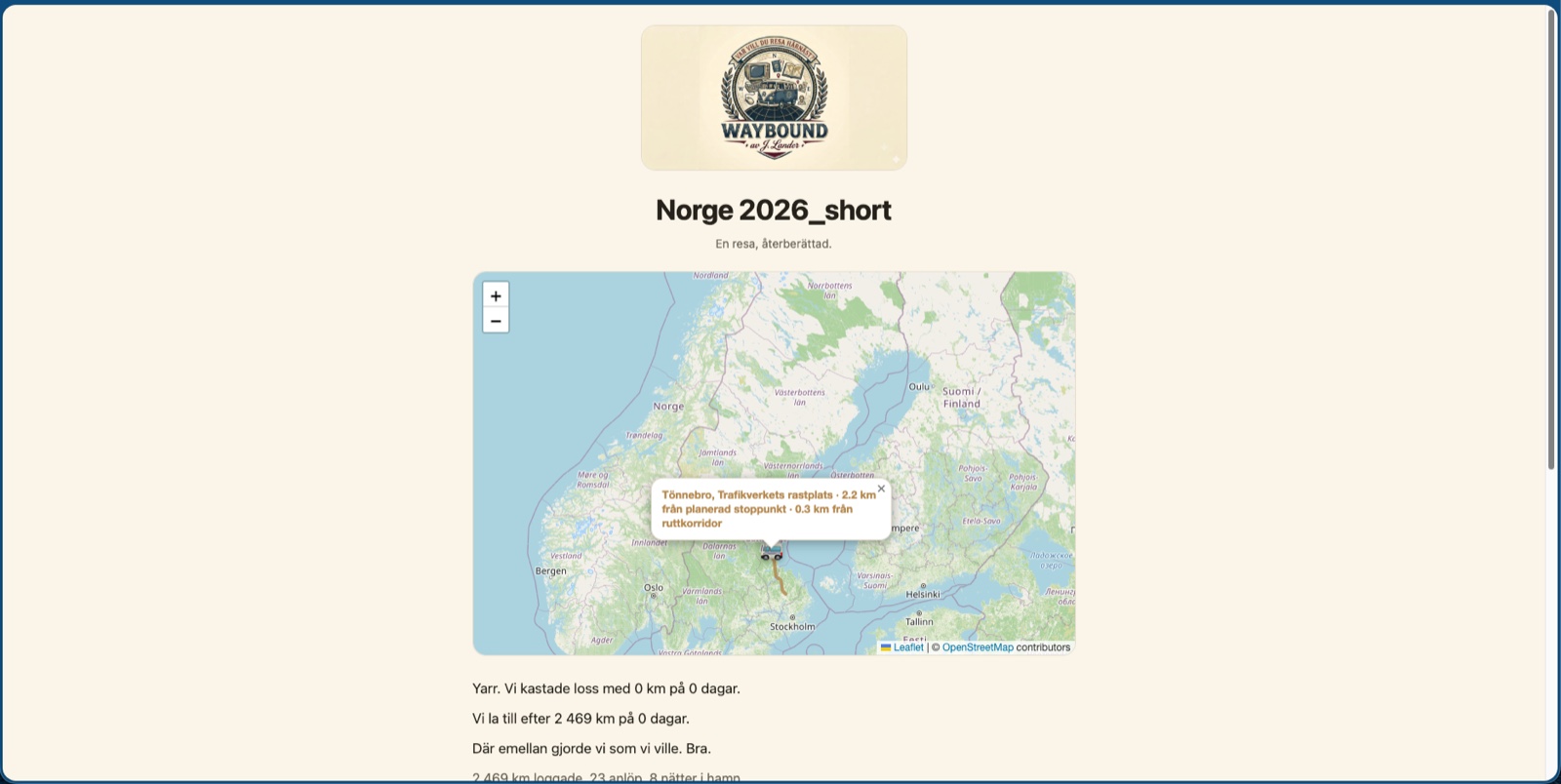
Happy Trails tells the story of the trip in the rearview mirror, in a voice you choose.
No text or photos of your own required — just the choices you actually made, shared with a single link.